


 Cart
Cart


Introducing Generic CAN
Our 40th Birthday Gift to the World: Introducing Generic CAN
We’re 40 years old this year, and we wanted to celebrate our birthday by giving you a gift our users have been asking for for a long time. This one is special.
Introducing Generic CAN (GCAN): a fully user-programmable CAN bus, free, across eligible Nexus models. And this isn’t just for new units, if you already own an eligible Nexus ECU or display, it’s yours too. That includes the iC-7 and uC-10 displays running standalone, previously limited to analogue-wired sensors, now able to pull in CAN sensor data too.
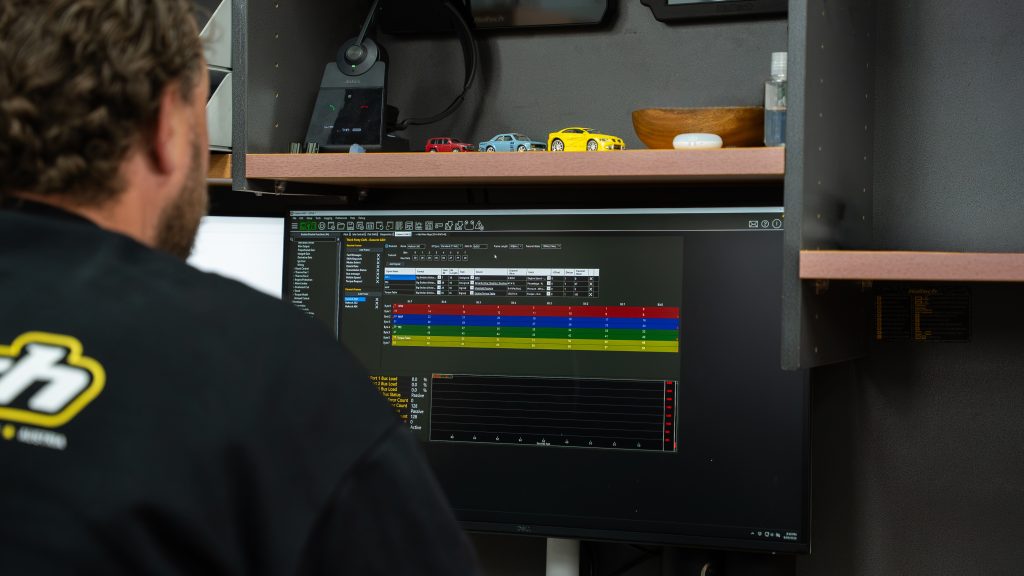
What is GCAN?
GCAN lets you configure your own CAN bus messages on Nexus, so you’re no longer limited to the dashes, switches, and sensors we’ve pre-built support for. Wire in what you actually want to run.
- Open by default. No separate CAN license, no unlock purchase. If your Nexus is on the eligible list, GCAN is standard.
- Retroactive. It ships standard on all new purchases, and it’s also field-upgradable on every eligible Nexus ECU already out there.
- Talk to almost anything. OEM dashes, CAN switches, sensors, and data loggers, on your terms.
Beta is open now
GCAN is available in beta now. This is a beta release, so expect it to keep improving as we hear from the people actually wiring it into their cars.
How to get the beta
- Update to NSP (Nexus Software Programmer) version 1.48 or later.
- Go to Preferences > Firmware Update Options.
- Enable “Opt-In to Beta Firmware Versions.”
- Click “Check for Updates Now” to sync and download the beta.
- Connect your eligible Nexus ECU or display via USB and update through NSP to the latest firmware: V1.36 for ECUs, V2.36 for dashes. ECUs will power up over the USB cable in low power mode, but displays won’t, they need to be key-on powered to connect and update. GCAN is enabled per bus, on that bus’s own page. For the Haltech bus, go to the Haltech bus menu node (same place you enable dash/keypad support). For vehicle CAN, go to the Vehicle CAN page (where you select your vehicle).
Note: Opting in gives you access to beta firmware and software for Haltech products. Beta firmware is supplied “as is,” with no warranty or liability expressed or implied, and it has no impact on your ECU’s hardware warranty. It’s your responsibility to verify device operation after updating, and use of beta firmware is at your own risk. Haltech also collects usage data to track beta performance. Back up your current tune and configuration before updating. Something not working as expected? When creating a new map in NSP, you can choose which firmware version to build against, the current release, the beta, or any previous release. If you need to step back from the beta, just create a new map and select your previous release version.
Found a bug or have feedback during the beta? Once you’ve opted in, an envelope icon appears in the top right of NSP, click it to open the feedback form directly.
Eligibility
GCAN is coming to the following Nexus products, at no cost:
| Included | Not included |
|---|---|
| Nexus T1 & T2 | Elite range (all models) |
| Nexus S2 & S3 | Nexus Rebel |
| Nexus R3 & R5 | |
| Nexus Plug-in range | |
| iC-7 display | |
| uC-10 display |
GCAN covers the entire Nexus Plug-in range, current models and any future Nexus Plug-in releases going forward, it’s now a standard part of the platform, not a one-time bonus.
What you can build with it
Real scenarios GCAN is designed to solve:
- Run CAN sensors into a standalone dash. uC-10 and iC-7 have always run standalone with wired-in analogue sensors, no Nexus ECU required. Now they can also pull in data straight from any CAN sensor or device, not just analogue inputs.
- Keep your OEM dash alive. Retain the factory instrument cluster after a standalone ECU swap instead of ripping it out for an aftermarket display.
- CAN switch control. Map OEM steering wheel controls or aftermarket switch panels to exactly the functions you want, launch control, pit lane limiter, mode switching, on your own layout.
- Pull in data from an OEM ABS module. Wheel speed or brake data that wasn’t previously supported.
- Feed a data logger or timing system. Build the exact stream your logging or timing system requires, including series-mandated formats for some race categories.
FAQ
Do I need to buy anything? No. If your Nexus model is on the eligible list, GCAN is a free firmware upgrade.
Does this apply to my Elite ECU? We’d genuinely love to, but Elite’s onboard memory is already full, so there isn’t room for GCAN. This release is Nexus-specific.
What about Nexus Rebel? Rebel doesn’t get full GCAN configurability, that’s not the direction we’ve taken it, it stays a simple plug-and-go option. But it’s getting an upgrade too: a second CAN port with vehicle CAN support, so if you’re doing an engine conversion, you can choose from the pre-implemented vehicle CAN options.
Is there a limit to what GCAN can do? Yes, 30 CAN frames and 200 signals. That’s enough for the vast majority of builds, even ones running several third-party devices at once. When you enable it on the Haltech bus or the Vehicle CAN bus, it runs at whatever bit rate that bus already uses (Haltech bus = 1Mbit/s, Vehicle CAN = usually 500kbit/s depending on the car). If you need a different rate, there’s a separate Third-Party CAN bus option that supports 125k, 250k, 500k, or 1M.
How do I get the update? It’s available in beta now. See the instructions above.
Can Haltech teach me how to set up my specific CAN network? We can’t offer one-on-one training on configuring your setup, that’s outside what our support team provides. For a proper deep dive into CAN bus communications, we’d point you to HPA’s CAN Bus Communications Decoded course.
Thanks for 40 years of building, racing, and tuning with us.
The Haltech Team


 SAFE & SECURE SHOPPING